

How to Safely Remove Wrinkles from Graphic Tees
Table of Contents
- Why Graphic Tees Wrinkle Differently (and What's at Stake)
- What You'll Need Before You Start
- How to Remove Wrinkles from a Shirt Without an Iron
- How to Iron a Graphic Tee Without Ruining the Print
- Ironing Temperature for Printed Shirts: The Safe Range
- How to Steam a Graphic T-Shirt Safely
- Troubleshooting: Stubborn Creases, Cracked Prints, and Print-Type Care
- Preventing Wrinkles: Washing, Drying, Packing, and Storage
- Frequently Asked Questions
Last Updated: October 8, 2026
Why Graphic Tees Wrinkle Differently (and What's at Stake)
Your favorite graphic tee doesn't wrinkle like a plain cotton shirt, and that changes everything about how you treat it. Learning how to safely remove wrinkles from graphic tees starts with one rule: the print is the fragile part, not the fabric. Heat, steam, and friction that would fix a plain tee can crack, lift, or glaze the design you bought it for.
At Hot Takes Designs, we print every tee to order, so we see exactly what happens when a printed design meets too much heat. The stakes are real. A wrinkled tee is a five-minute problem. A cracked print is a permanent one.
Most guides treat graphic tees like any other shirt. That's the mistake we're fixing here.
What You'll Need Before You Start
Gather your tools before you touch the shirt. Most wrinkle fixes need nothing more than what's already in your home.
Here's your kit:
- A clean, flat surface (ironing board or table with a towel)
- A spray bottle of water
- A clean white towel or cotton cloth
- A hanger
- An iron (only if needed)
- A clothes dryer
- A hair dryer
Check the garment label first. It tells you the fiber content and the maximum heat the fabric can handle. That label is your starting point, not a suggestion.
One more thing: skip anything with a rough texture. Lint, crumbs, or grit on your ironing surface can press marks into the print.
How to Remove Wrinkles from a Shirt Without an Iron
You can remove wrinkles from a shirt without an iron using moisture and gentle heat. Two methods work best, and both are safe for printed designs when done right.
The Damp Towel and Clothes Dryer Method
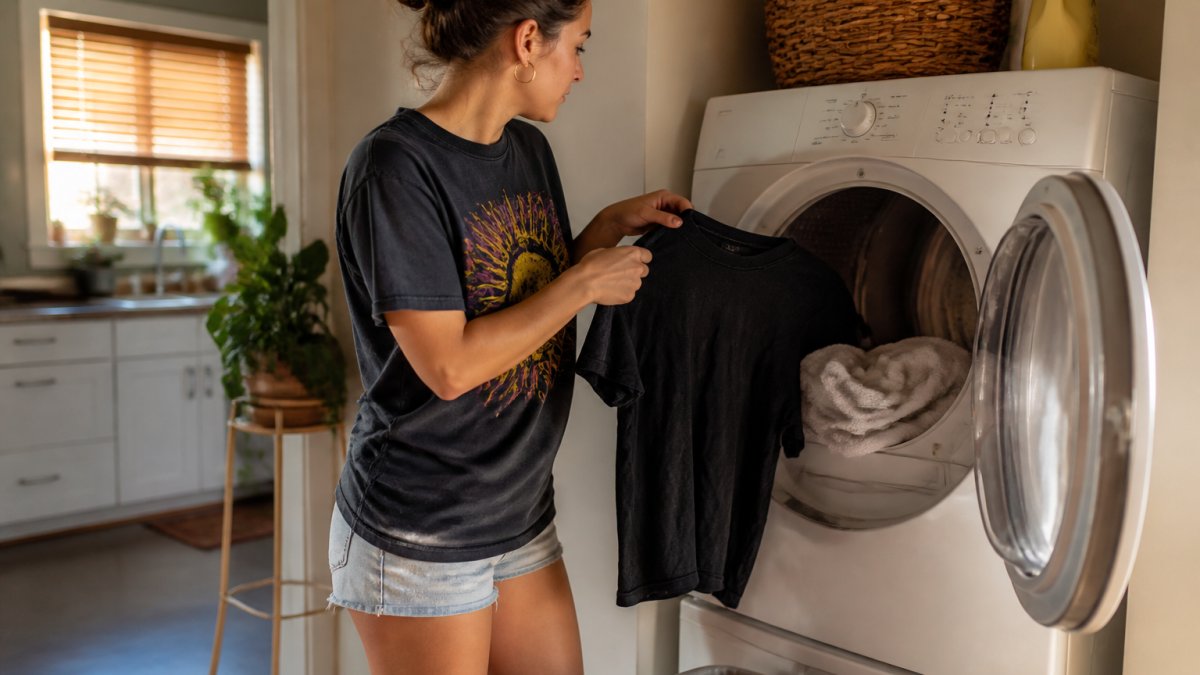
This is the safest option for a graphic tee, full stop. Toss the shirt in the dryer with a slightly damp towel and let the moisture do the work.
Here's how:
- Wet a clean towel and wring it out so it's damp, not dripping.
- Put the shirt and towel in the dryer together.
- Run it on low heat for 10 to 20 minutes.
- Pull the shirt out and hang it right away.
The damp towel releases steam inside the dryer. That steam relaxes the fabric without direct heat on the print. Don't overfill the dryer. One shirt and one towel is the sweet spot.
Hot Shower Steam and the Hair Dryer Trick
No dryer? Run a hot shower and hang your shirt in the bathroom. Close the door and let the steam do its thing for 10 to 20 minutes. The humidity relaxes wrinkles while you get ready.
For a faster fix, use a hair dryer on the cool setting. Hold it a few inches from the fabric and move it constantly. Keep it on low heat or cool only. High heat aimed at one spot is how prints get damaged.
How to Iron a Graphic Tee Without Ruining the Print
You can iron a graphic tee safely if you turn it inside out, use low heat, and skip the steam. The print never touches the iron directly, and the fabric gets smooth.
Step-by-Step: Inside Out, Low Heat, No Steam
Follow this order every time:
- Turn the shirt inside out so the print faces inward.
- Set the iron to its lowest heat setting and turn steam off.
- Place the shirt flat on a clean surface.
- Press gently, moving the iron in slow passes.
- Never rest the iron in one spot.
- Let the shirt cool before turning it right side out.
If the print is large, lay a thin cotton cloth over the inside-out design as an extra barrier. It costs you nothing and adds a layer of protection.
Ironing Temperature for Printed Shirts: The Safe Range
The safe ironing temperature for printed shirts starts at the lowest setting your iron offers, generally around 250°F, and stays there. The number matters less than the principle: the print, not the fabric, sets your ceiling. A 100% cotton tee can handle a hot iron. The screen print on top of it usually cannot.
Here's the part most guides skip. Heat tolerance varies by how the design was applied, and the difference is significant.
| Print type | Typical heat tolerance | Ironing guidance |
|---|---|---|
| Screen print (plastisol) | Moderate | Inside out, low heat, cloth barrier over the print |
| Heat-transfer vinyl (HTV) | Low | Inside out only; direct heat can lift edges |
| Direct-to-garment (DTG) | Low to moderate | Inside out, low heat, no steam |
| Sublimation | Moderate | Usually safe inside out; avoid scorching polyester |
| Distressed or vintage finish | Very low | Treat as fragile; heat accelerates fading |
If you don't know which process made your shirt, assume the lowest tolerance and work up only if the print stays flat and cool to the touch after a test pass.
Fabric matters too, but it's the second variable:
- 100% cotton: Handles low to medium heat well. Press inside out with a cloth barrier over the print.
- Polyester and poly blends: Scorch and glaze faster than cotton. Keep the iron on low and never let it rest.
- Cotton-poly blends: Behave unpredictably; start at the lowest setting and test a hidden hem first.
- Tri-blends and vintage washes: Soft and heat-sensitive. Fading is part of the look, but heat speeds it up.
Always read the garment label before you plug anything in. If it says low heat or no iron, believe it. When in doubt, drop to a no-contact method, the damp towel and dryer approach or hanging steam, rather than risk a print you can't replace.
How to Steam a Graphic T-Shirt Safely
Steaming a graphic T-shirt is the gentlest way to smooth wrinkles, as long as you keep the steamer moving and never press it against the print. Steam relaxes fibers without direct contact heat.
Stray Kids SKZOO Double-Sided DTF 100% Cotton T-Shirt →
Hold the steamer a few inches from the fabric. Work in slow, steady passes. Let the weight of the shirt hang and pull the wrinkles out on its own.
A few rules:
- Never touch the steamer plate to the print
- Keep the shirt on a hanger while you steam
- Steam the back of the print, not the front
- Let the shirt dry fully before folding or wearing
If you don't own a steamer, the hot shower method from earlier does the same job with zero equipment.
Troubleshooting: Stubborn Creases, Cracked Prints, and Print-Type Care
Most wrinkle problems have a simple cause. Most print problems do not, and the wrong response makes them permanent. Here's how to read the situation before you reach for more heat.
Stubborn creases that won't release. These usually mean the fabric was folded damp and stored that way, or the fibers have a hard set from a tight fold.
A print that feels tacky or sticky. Stop. Tackiness means the ink or vinyl is softening under heat.
A print that's starting to lift at the edges. This is the early warning stage, and it's the point where you can still slow the damage. Stop applying heat.
A print that's already cracked or peeled. Heat made it worse, and it will keep making it worse.
Care by print type matters more than most people think, and the rules differ at the margins:
- DTF prints: Wash inside out, low heat only, no direct iron contact. The transfer film layer is the fragile part.
- Screen prints: Same rules, plus avoid stretching the print when wet, plastisol ink can crack along stretch lines.
- Heat-transfer vinyl: The most heat-sensitive of the common finishes. Inside out only, and never steam directly onto the vinyl.
- Direct-to-garment: Ink sits in the fabric fibers rather than on top. Inside out, low heat, no steam, and expect some softening over time.
- Vintage or distressed prints: Extra low heat, since fading is part of the look and heat accelerates it.
When to stop applying heat: the moment the print feels warm to the touch on the outside, or the moment you see any change in surface texture.

Preventing Wrinkles: Washing, Drying, Packing, and Storage
Prevention beats fixing every time. A few habits keep your graphic tees smooth without any ironing at all.
Washing: Turn shirts inside out. Use cold water. Skip the heavy spin cycle.
Drying: Low heat or air dry. Pull shirts out the moment the cycle ends.
Packing: Roll shirts instead of folding them flat. Rolling avoids hard crease lines.
Storage: Hang or fold loosely. Don't cram shirts into a packed drawer.
For concert nights and fan events, roll your tee in a plastic bag the night before. It stays smooth in transit and ready to wear.
That's the whole playbook. Treat the print like the delicate part, use moisture before heat, and your graphic tees stay crisp and crack-free. If you want tees built to survive real wear, our custom-printed apparel is made to order with vibrant, long-lasting prints and inclusive sizing from 2XS to 6XL.
Frequently Asked Questions
Can you iron a graphic tee without damaging the print?
Yes, if you do it correctly. Turn the graphic tee inside out, set your iron to low heat with no steam, and press the fabric on the reverse side. Never touch the iron directly to the printed design. If you must iron the front, place a thin cotton cloth or parchment paper over the graphic print as a barrier. Let the garment cool completely before wearing or folding, since heat-set prints can stick to themselves while warm.
What temperature should you use to iron a printed T-shirt?
The safe ironing temperature for printed shirts is typically the low setting, around 250°F to 300°F, which corresponds to the synthetic or silk setting on most irons. Cotton graphic tees can usually handle the medium setting, but DTF and screen-printed designs are more sensitive. Always check the garment label first. When in doubt, start lower and increase gradually. High heat is the fastest way to crack, peel, or scorch a printed design.
Can you remove wrinkles from a graphic tee without an iron?
Yes. Toss the slightly damp graphic tee in the clothes dryer on low heat for 10 to 20 minutes with a damp towel. Alternatively, hang the shirt in a steamy bathroom for 10 to 20 minutes while you shower. A hair dryer on the cool or low setting held a few inches from the fabric also works. Smoothing by hand while the shirt is slightly damp and hanging it to dry is the gentlest option for delicate prints.
Should you iron a graphic tee inside out?
Always. Turning the shirt inside out protects the printed design from direct contact with the iron's soleplate. Heat applied directly to a graphic print is the leading cause of cracking, peeling, and fading. Iron the back of the shirt first, then flip and press the front around the design, using a cotton cloth over the print if needed. This one habit dramatically extends the life of any graphic tee, including DTF-printed styles.
Wrinkled graphic tees are annoying, but damaged prints are forever. Hot Takes Designs makes tees with ultra-soft fabrics and vibrant, long-lasting prints, so the design you love survives every wash and every ironing session. Our custom-printed pieces are made to order for K-Pop concerts, BookTok fits, and everyday streetwear. Get started with Hot Takes Designs and keep your prints looking fresh from the first wear to the hundredth.