

Best Apps for Digital Style Mood Boards
Table of Contents
- What Makes a Great Digital Mood Board App
- How to Make a Digital Mood Board for Fashion
- Aesthetic Mood Board Templates and Design Systems
- AI Mood Board Generators and Inspiration Tools
- Free vs. Paid Mood Board Apps
- Key Features for Professional Design Workflows
- Choosing the Right Tool for Your Creative Vision
- Frequently Asked Questions
Last Updated: September 3, 2026
What Makes a Great Digital Mood Board App
A digital mood board app is a visual collection tool that lets you gather, organize, and curate design inspiration in one place. The best apps combine intuitive interfaces with powerful organizational features that help creative professionals bring their vision to life without friction.
What separates a mediocre mood board tool from a great one comes down to three things: how easily you can import and arrange visual elements, whether the platform supports real-time collaboration with teammates, and whether your exported files actually match what you designed. The apps worth your time handle drag-and-drop editors smoothly, let you build custom color palettes from images, and give you granular control over your layout. They also integrate with your existing design workflow instead of forcing you to work in isolation.
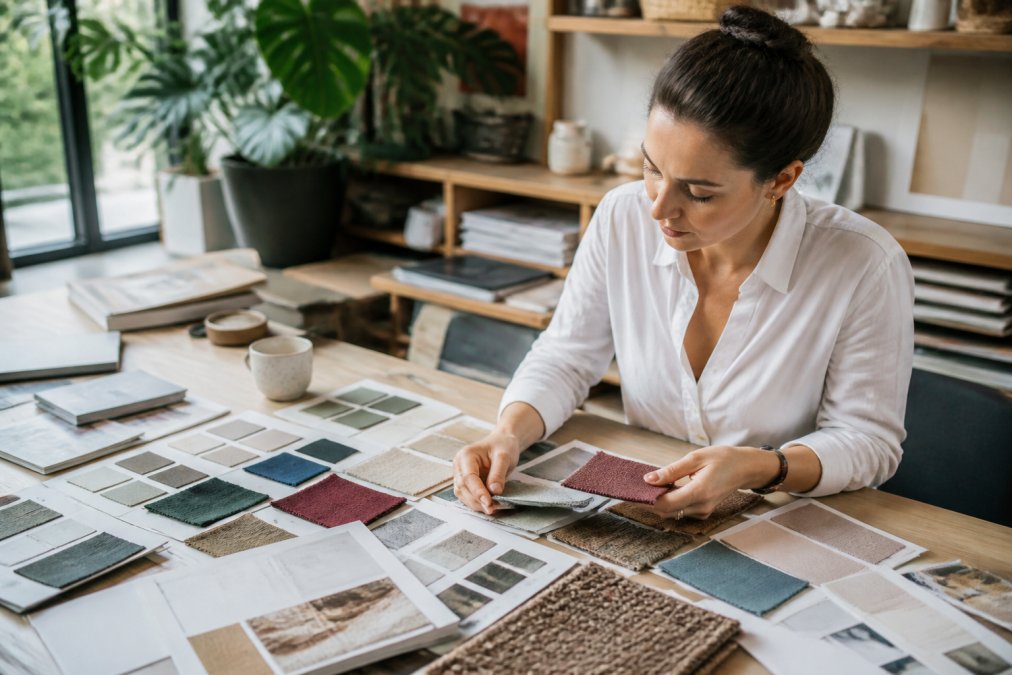
How to Make a Digital Mood Board for Fashion
Start with a clear concept: define your aesthetic in one sentence. "Minimalist streetwear with oversized silhouettes" or "Y2K nostalgia meets contemporary edge", write it down. This becomes your filter for every image you add.
Gather visual references from Pinterest, fashion blogs, Instagram, runway shows, and street style photography. Most digital mood board apps let you import directly from URLs or drag images from your downloads folder. Arrange your elements with intention: group similar color palettes together, show fabric textures alongside finished garments, and include close-ups of details that communicate quality level. Add context notes to document why each element matters, "This shows the exact sleeve length we're targeting" or "Color palette reference for the seasonal line." Finally, export at high resolution. You need files that print clearly and display sharply on screens without compression artifacts.
Aesthetic Mood Board Templates and Design Systems
Templates accelerate the design process, but only if they're flexible enough to feel like your own work. Look for apps that offer modular templates, grids you can adjust, section layouts you can rearrange, and color schemes you can override. Rigid templates that force your content into a predetermined shape are worse than starting blank.
Design systems matter when you're building multiple mood boards for a cohesive brand or collection. The best apps let you create a custom design system, define your color palette once, your typography rules once, your spacing standards once, then apply them across every new project. Real-time collaboration features let you build a mood board with a client, photographer, or team member, seeing their changes instantly and commenting on specific elements without sending files back and forth.
AI Mood Board Generators and Inspiration Tools
AI-powered mood board generators work best as inspiration accelerators, not replacements for human curation. These tools can generate color palettes from a single image, suggest layout arrangements, or generate mood board concepts from text descriptions. The limitation is clear: AI doesn't understand your brand voice or the specific story you're trying to tell.
Some apps embed AI features directly, background removal, image upscaling, color palette generation from photos. These are genuinely useful for workflow efficiency. The best use case for AI mood board generators is exploration: you're stuck on direction? Generate 10 variations and pick the three that resonate. Then make the final call yourself.
Free vs. Paid Mood Board Apps
Free mood board apps typically impose storage limits (500 MB to 2 GB per account), restrict the number of active projects (3 to 5), cap collaboration to read-only sharing, and restrict export resolution to 72 DPI or lower. Real-time collaboration, simultaneous editing and live commenting, is almost universally a paid feature.
Paid tiers typically cost $8-$20 per user monthly and unlock unlimited projects, full-resolution exports (300 DPI or higher), PDF export with embedded fonts, real-time collaboration with unlimited team members, version history with rollback capability, and API access for workflow integrations (peer-reviewed research). Annual plans often discount the monthly rate by 20-30% (peer-reviewed research).
The hidden cost of free tools is workflow friction. You might create a beautiful mood board, export it, and discover the image quality is too compressed for print or client presentation. Integration capabilities also split by tier: free versions rarely support API access, Zapier connections, or native integrations with Figma, Adobe Creative Suite, or project management tools. Version history and offline access are almost exclusively paid features.
If you're building mood boards more than twice a month professionally, the time saved by paid features and the quality of exports justify the subscription cost within the first month.
Key Features for Professional Design Workflows
Export Format and File Compatibility
A professional-grade tool must support multiple export formats: high-resolution PNG (300 DPI minimum) for print, PDF with embedded fonts for client presentations, and ideally editable formats (SVG or proprietary project files) for further refinement (peer-reviewed research). PDF export quality matters, if your mood board includes custom typography or color annotations, the PDF should preserve all of that without flattening or compressing.
File size is another constraint. A mood board with 50 high-resolution images might export to a 500 MB file, which is too large to email. Professional tools either compress intelligently or offer cloud-based sharing links as an alternative.
Device Sync and Offline Accessibility
Designers work across devices, desktop for detailed work, tablet for sketching and annotation, mobile for reference while shopping or on set. Look for apps that use cloud sync with local caching, meaning you can work offline and changes sync automatically when you reconnect. Mobile-to-desktop sync is particularly important for fashion and interior designers who capture reference images on their phone throughout the day.
Integrations and Workflow Connections
A great mood board app should connect to your project management system (Asana, Monday.com, Trello), your design software (Figma, Adobe XD, Sketch), your communication platform (Slack), and your asset library (Google Drive, Dropbox, Adobe Creative Cloud). Native integrations are faster than workarounds. If the app has a native Figma plugin, you can embed mood boards directly into design files without exporting and re-uploading.
Version History and Collaboration Tracking
Version history is essential for client work. You need to see every change, who made it, and when. The best tools let you revert to any previous version with one click. Real-time collaboration features matter: simultaneous editing and live commenting cut revision cycles dramatically.
Color Accuracy and Accessibility
For fashion, interior design, and product design, color accuracy is non-negotiable. The app should display colors consistently across devices and export color values in multiple formats (RGB, HEX, CMYK, Pantone). Accessibility features matter for inclusive design: can you add alt text to images? Can you export mood boards with sufficient contrast for people with color blindness?
Choosing the Right Tool for Your Creative Vision
The best mood board app for you depends on three variables: your primary use case, your team size, and how this tool fits into your larger design process.
If you're a fashion designer building reference boards for production, you need high-resolution export, color accuracy, and the ability to annotate specific garment details. If you're an interior designer presenting to clients, you need real-time collaboration so clients can comment on layouts and strong presentation features. If you're a filmmaker or creative director building visual mood boards for a production, you need to handle video clips alongside still images and potentially work with large teams.
Start with your workflow. What's the bottleneck in your current process? Are you spending too much time organizing images? Struggling to get feedback from collaborators? Fighting with export quality? The right tool solves your specific problem.
Test before committing. Most paid apps offer free trials or freemium versions. Spend a week building an actual project in the tool. Import your real images, invite a collaborator if that matters to you, export what you'd actually use. That's the only way to know if the interface clicks with your brain and if the features actually integrate with how you work.
Start with your creative priorities, testing thoroughly, and choosing based on what actually makes your design process faster and more enjoyable, not based on marketing claims or feature lists that sound impressive but don't serve your work.
Frequently Asked Questions
How can I create a digital mood board for my personal style?
Start by collecting images that resonate with your aesthetic, color palettes, clothing silhouettes, textures, and overall vibes. Use a digital mood board app with drag-and-drop functionality to organize these elements into a cohesive visual story. Group related images together, establish a consistent color palette, and arrange them to show how different pieces work together. This visual communication helps you understand your style preferences and makes shopping decisions easier.
What's the difference between using Canva and specialized mood board apps?
Canva is a general-purpose design tool with template library options for mood boards, but specialized mood board apps are built specifically for image curation and organization. Specialized tools excel at real-time collaboration, cloud-based storage, and workspace organization, features designers need for client presentations and team projects. Canva works well for quick, simple boards; specialized apps handle complex design projects with multiple stakeholders and version history tracking.
Can I use AI to generate mood board inspiration?
Yes. AI mood board generators can suggest color combinations, layout ideas, and design concepts based on your input. These tools analyze design trends and aesthetic patterns to create starting points for your visual storytelling. However, AI-generated suggestions work best as inspiration rather than finished boards, you'll want to customize and refine them with your own images and personal vision to create something truly unique to your brand or project.
What file formats should I expect when exporting my mood board?
Most apps offer high-resolution export in PNG or JPG format for client presentations. Some platforms provide PDF export for sharing, and premium tools may include vector graphics export for advanced design work. Check export limitations before committing to a tool, some free versions restrict resolution or file types. If you need specific formats like SVG or PSD for design system integration, verify the app supports them.
The right digital mood board app becomes invisible in your workflow. It gets out of your way, handles the technical details smoothly, and lets you focus on the creative decisions that matter. Whether you're curating fashion inspiration, building design systems, or presenting concepts to clients, the tool should amplify your vision, not constrain it. Take time to find the one that matches how you actually work, that investment pays dividends across every project you build.
This article was written using GrandRanker