

How to Verify Legitimate Online Shops: A 2026 Guide
Table of Contents
- How to Verify Legitimate Online Shops: Start With Security Basics
- Analyze Contact Information and Physical Address Details
- Use Website Safety Checker Tools to Spot Red Flags
- Identify Signs of a Fake Online Store Before You Buy
- Research Customer Reviews and Third-Party Ratings
- Verify Social Media Presence and Engagement
- Check Payment Methods and Secure Checkout Protocols
- Advanced Verification: WHOIS Domain Analysis and Reverse Image Searching
Last Updated: August 3, 2026
How to Verify Legitimate Online Shops: Start With Security Basics
Learning how to verify legitimate online shops is your first line of defense against fraud and identity theft. A few quick checks can reveal whether a shop is legitimate before you enter payment information.
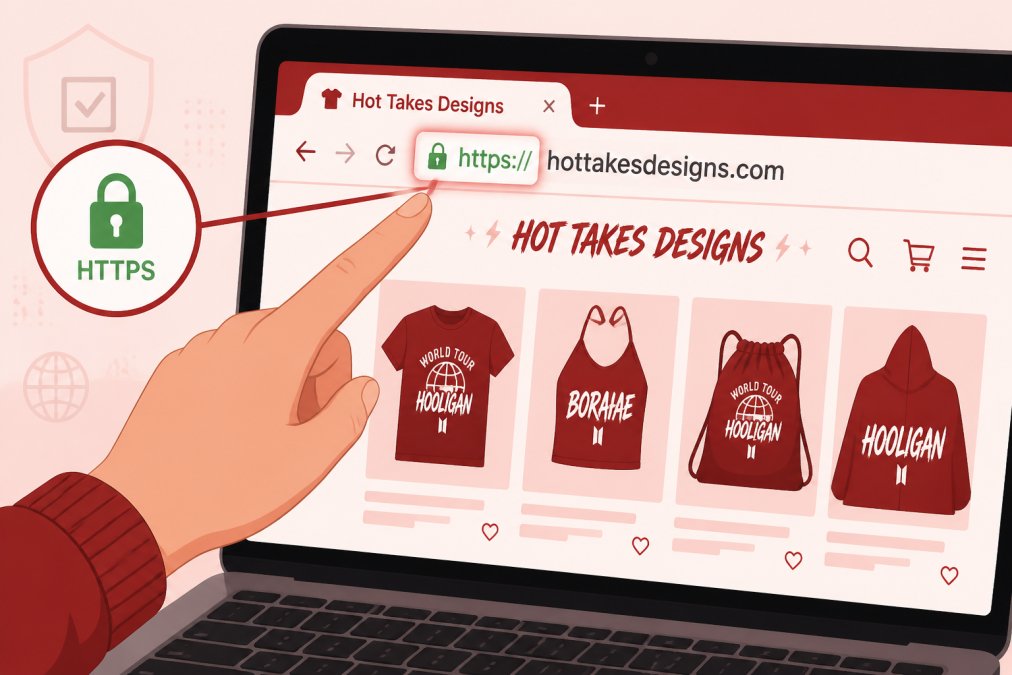
Check for HTTPS and SSL Certificates
HTTPS (Hypertext Transfer Protocol Secure) is the encrypted version of standard HTTP. Any legitimate shop handling payment information uses HTTPS, not HTTP. You'll see a small padlock icon next to the domain name in your browser's address bar, green on most modern browsers, sometimes with a checkmark or "Secure" label.
An SSL certificate is the digital credential that enables HTTPS encryption. Click the padlock icon to verify certificate details including the organization name, expiration date, and issuing authority. Legitimate certificates come from recognized Certificate Authorities like DigiCert, GlobalSign, or Let's Encrypt. If the certificate is expired or issued to a different domain, that's a major red flag.
Look for Trust Seals and Security Badges
Trust seals are visual badges signaling that a retailer has passed security audits or complies with payment standards. Common legitimate trust seals include Norton Secured, McAfee Secure, and Trustwave. E-commerce sites often display Payment Card Industry (PCI) compliance badges, indicating they follow security standards for storing and processing credit card data.
However, scammers copy trust seal graphics without earning them. Click on any trust seal; it should open a page on the issuing organization's website confirming the retailer's legitimacy. If it doesn't link anywhere or takes you to a suspicious page, the seal is counterfeit.
Analyze Contact Information and Physical Address Details
Legitimate businesses want to be found. Scams hide.
Verify Phone Numbers and Email Addresses
A legitimate online shop displays a working phone number and email address prominently. Call the number and send a test email asking a simple question. Legitimate shops respond within 24-48 hours; scams ignore inquiries entirely.
Search the phone number online in quotes to see if it's associated with multiple different business names. Scammers reuse phone numbers across dozens of fake shops. Email addresses should match the domain name. An email like "support@legitimeshop.com" is trustworthy; "support@gmail.com" for a business claiming to be an official retailer suggests operation from a personal account.
Check Business Registration and Physical Location
Every legitimate brick-and-mortar business is registered with state or local authorities. Look for a physical address on the website, not just a P.O. box. Visit Google Maps and search for that address. Does a real business exist there? If the address doesn't exist or shows an apartment complex instead of a retail location, the shop may be operating illegally or fraudulently.
For online-only retailers, use the WHOIS database to check domain registration at whois.com or whois.net. WHOIS reveals the registrant's name, organization, address, and contact information. Legitimate businesses list real information; scammers use fake names, generic addresses, or privacy protection services that hide their identity.
Use Website Safety Checker Tools to Spot Red Flags
Google Safe Browsing is built into Chrome and checks sites against a database of known malicious URLs. For deeper analysis, use Urlscan.io for website security scanning to inspect a site's code, embedded scripts, and external connections. Legitimate retail sites load predictable resources; suspicious sites often load scripts from unknown domains designed to steal data.
VirusTotal's website analysis tool scans URLs against 90+ antivirus engines. If multiple security vendors flag a domain as malicious, don't shop there.
Identify Signs of a Fake Online Store Before You Buy
Scammers often build websites quickly and cheaply. Telltale signs appear in design, content, and product presentation.
Suspicious Domain Names and Spelling Errors
Counterfeit sites mimic legitimate brands using similar domain names. Amazon's real domain is amazon.com; a scam might be amazn.com or amaz0n.com. Always type the domain directly into your browser or use a bookmark. Don't click links from emails or ads, which can redirect you to lookalike domains.
Spelling errors throughout the website are another indicator. Legitimate businesses proofread product descriptions and checkout pages. Check the domain registration date using WHOIS; new domains registered within weeks are more likely to be scams.
Unrealistic Pricing and Too-Good-to-Be-True Offers
If a product is priced 50-70% below the market rate, investigate why. Legitimate sales are typically 10-30% off and clearly labeled as temporary promotions. A luxury handbag normally priced at $2,000 selling for $400 isn't a deal, it's counterfeit or a bait-and-switch.
Compare prices across multiple legitimate retailers. Watch for "limited stock" or "only 3 left" urgency tactics. Reload the page; if the stock count resets, the counter is fake and designed to pressure impulse purchases.
Poor Website Design and Broken Links
Professional retailers invest in clean, functional websites. Scam sites display blurry product photos, broken navigation menus, or links leading to 404 errors. The checkout process should be smooth; slow loading, broken links, or non-functional carts signal incompetence or intentional fraud.
Does the site feel professional and cohesive, or assembled from free templates in an afternoon? Legitimate brands maintain consistent branding, clear product categories, and intuitive navigation.
Research Customer Reviews and Third-Party Ratings
Real customer feedback reveals patterns that no website can hide.
Where to Find Authentic Customer Feedback
Don't rely solely on reviews posted on the retailer's own website. Search for the shop's name on independent review platforms like Trustpilot, Google Reviews, and the Better Business Bureau (BBB). Search "[Company Name] reviews" or "[Company Name] scam" to see what customers are saying.
Check social media. Look at the shop's Facebook, Instagram, or TikTok pages and scroll through comments. Legitimate businesses respond to customer inquiries; scams ignore them entirely. Reddit communities like r/Scams often discuss fraudulent retailers.
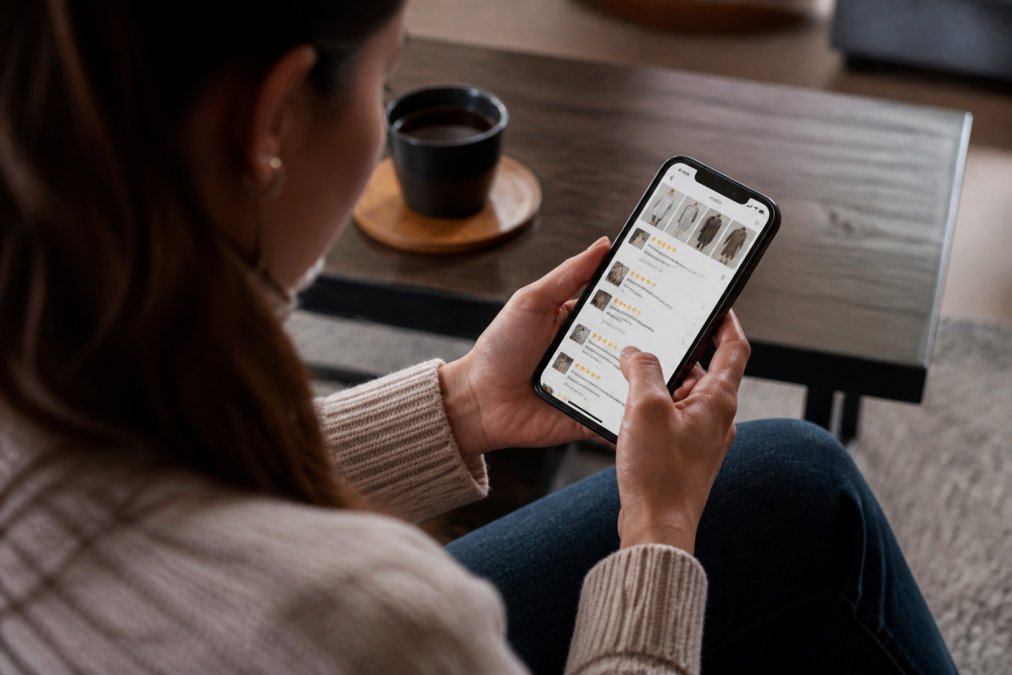
Red Flags in Review Patterns
If a shop has 500 five-star reviews and zero lower ratings, something is off. Real businesses have a mix of satisfied and disappointed customers. A suspiciously perfect rating suggests fake reviews or a brand-new shop.
Look at review dates. If all reviews are from the same week, they may have been purchased in bulk. Legitimate shops accumulate reviews gradually. Read individual reviews for specific details about the product, shipping time, and customer service. Fake reviews use generic language or mention details that don't match the product.
Check if reviewers have other reviews on the platform. A one-off reviewer with no history may be a fake account. A shop with 20-30 genuine reviews (including some critical feedback) is more trustworthy than one with 500 perfect five-star reviews.
Verify Social Media Presence and Engagement
Legitimate retailers maintain active social media accounts to build community and respond to customer inquiries.
Check how long the accounts have existed. New accounts created days or weeks ago are suspicious. Established retailers have social media pages months or years old. Look at posting frequency; legitimate businesses post regularly (at least once per week).
Examine engagement. Do followers comment on posts? Do business responses seem genuine or automated? A post with 1,000 likes but zero comments is suspicious. A shop claiming 50,000 Instagram followers should have hundreds of likes and comments per post. If posts get 10 likes on 50,000 followers, the followers were purchased, not earned organically.
Search for the shop's name on social media directly. If you can't find official accounts, that's a red flag.
Check Payment Methods and Secure Checkout Protocols
How a shop handles payment reveals a lot about its legitimacy.
Legitimate Payment Gateway Options
Legitimate retailers use established payment processors like Stripe, PayPal, Square, or Shopify Payments. When you check out, you should be redirected to the payment processor's secure page; the URL will change from the shop's domain to the processor's domain (e.g., stripe.com or paypal.com).
Scam sites ask you to enter credit card information directly into their own checkout form. This is a massive red flag. Legitimate retailers never ask you to type your full card number into their website; payment processors handle that sensitive data separately.
Look for multiple payment options. Legitimate shops accept credit cards, PayPal, Apple Pay, and Google Pay. Scams often accept only wire transfers, cryptocurrency, or gift cards, which are irreversible and untraceable.
Understanding Chargeback Protection
Chargeback protection is a consumer safeguard built into credit card transactions. If the shop never sends your order or sends counterfeit goods, you can dispute the charge with your credit card company. The card issuer investigates and typically refunds your money if fraud is confirmed.
Debit cards offer less protection than credit cards. Wire transfers and cryptocurrency offer zero protection; once the money is sent, it's gone forever. Always use a credit card when shopping online. Check the checkout page for security indicators: a padlock icon, clear SSL certificate information, and the payment processor's branding. The URL should start with https://, not http://.
Advanced Verification: WHOIS Domain Analysis and Reverse Image Searching
For deeper investigation, use specialized tools that reveal hidden details about a website and its products.
What WHOIS Domain Registration Reveals
WHOIS is a public database of domain registration information. Search the shop's domain at whois.com or whois.net and examine the registrant details. Legitimate businesses list their real company name and address. Scammers use fake names, generic addresses, or privacy protection services that hide their identity.
Check the registration date. Domains registered more than two years ago are more likely to be legitimate; new domains registered within days are higher risk. Look at the registrar; domains registered through reputable registrars like GoDaddy, Namecheap, or Google Domains are more trustworthy. Check if the domain has been transferred frequently; scammers often abandon compromised domains and register new ones.
Reverse Image Search to Catch Counterfeit Product Photos
Scammers steal product photos from legitimate retailers and use them to sell counterfeit goods. Right-click on a product photo and select "Search Image with Google" (or use Google Images directly). Google will display all websites where that exact image appears. If the same photo appears on ten different shop domains with different business names, the shops are either using the same supplier or stealing photos to sell fakes.
Compare product photos to descriptions. Do the images match the product details? A shop claiming to sell "handmade artisan jewelry" but using generic stock photos is lying. Check for watermarks or copyright information; if a photo has a watermark from a stock photo site (Unsplash, Pexels, Shutterstock), the retailer is using generic images, not actual product photos.
| Verification Method | What It Checks | Red Flag Indicators |
|---|---|---|
| HTTPS and SSL Certificate | Encrypted connection and data security | Missing padlock, "Not Secure" warning, expired certificate |
| Trust Seals | Third-party security verification | Fake or non-clickable seals, no verification link |
| Contact Information | Business legitimacy and responsiveness | Missing phone/email, disconnected numbers, generic email addresses |
| Physical Address | Registered business location | Non-existent address, P.O. box only, apartment complex |
| Website Design | Professional standards and attention to detail | Broken links, spelling errors, pixelated images, slow loading |
| Customer Reviews | Real feedback from actual buyers | All five-star ratings, generic text, sudden spikes, no engagement |
| Social Media Presence | Business legitimacy and customer interaction | New accounts, no engagement, purchased followers, no posts |
| Payment Methods | Secure transaction handling | Wire transfer only, cryptocurrency only, direct card entry on site |
| WHOIS Registration | Domain owner identity and history | Fake names, privacy protection, very new registration, frequent transfers |
| Reverse Image Search | Product authenticity | Same photos on multiple sites, stock photo watermarks, stolen images |
Verifying that an online shop is legitimate protects your money, personal information, and peace of mind. The steps outlined above, checking HTTPS, analyzing contact details, reading genuine reviews, and using advanced tools like WHOIS and reverse image search, form a comprehensive verification system that catches most scams before you enter payment information.
When you shop with retailers that pass these verification checks, you're supporting businesses committed to transparency, security, and customer satisfaction. Start with the security basics on every site you visit, and don't skip deeper dives into reviews and domain registration when something feels off. Trust your instincts; if a deal seems too good to be true, it probably is.
Frequently Asked Questions
How can I check if a shopping website is legitimate before making a purchase?
Start by checking for HTTPS encryption and an SSL certificate (look for the padlock icon in your browser). Verify the company's contact information, physical address, and phone number. Research customer reviews on independent sites, not just the store's own website. Check the domain registration using WHOIS lookup tools, and examine payment options. Legitimate stores offer secure payment methods like credit cards with chargeback protection. Avoid sites with poor design, spelling errors, or unrealistic pricing that seems too good to be true.
What are the best website safety checker tools to verify if an online shop is safe?
Several free tools help verify online shops. Google Safe Browsing checks if a site contains malware or phishing content. Norton Safe Web scans for threats and provides safety ratings. URLhaus allows you to inspect domain history and flag suspicious sites. WHOIS lookup tools reveal domain registration details and owner information. Consumer protection agencies like the Better Business Bureau (BBB) maintain business profiles and complaint histories. These tools combined give you a comprehensive picture of a store's legitimacy and track record.
What are the most common signs of a fake online store I should watch for?
Red flags include misspelled domain names that closely resemble legitimate brands (like 'Amazom' instead of 'Amazon'). Extremely low prices for high-value items indicate counterfeit or fraudulent operations. Poor website quality, broken links, and unprofessional design suggest a hastily assembled scam site. Limited or missing contact information, vague shipping policies, and no privacy policy are major concerns. Requests for unusual payment methods like wire transfers or cryptocurrency, and absence of customer reviews or only brand-new five-star reviews, also signal fraud. Trust your instincts if something feels off.
How do I report an online shopping scam to the FTC and protect myself from identity theft?
Report scams to the FTC at reportfraud.ftc.gov. Provide details about the fraudulent transaction, the website URL, and any communications with the seller. Contact your credit card company or bank immediately to report unauthorized charges and initiate a chargeback dispute. Monitor your credit report for suspicious activity through AnnualCreditReport.com, the official free credit reporting site. Place a fraud alert with the three major credit bureaus (Equifax, Experian, TransUnion) to prevent identity theft. Keep documentation of all communications and transaction records. Consider freezing your credit if you believe your personal information was compromised.
This article was written using GrandRanker